Sample Templates
Ready-made WhatsApp templates for messages businesses often send, grouped by industry. Copy one into your chatbot and change it to suit your business.
Each sample shows the message on a phone, as your customer sees it. The table under the picture lists what to enter in each field of the template editor. The category is the one Meta's guidelines give for that kind of message.
The names, links and phone numbers in the samples are examples. Replace them with your own before you submit a template.
Using a Sample
You build a template from a sample in the template editor. New Template explains each field, and what the categories mean.
Copy a Sample into the Editor
Enter a sample's parts in a new template, then change them to fit your business.
Steps:
- Open your chatbot's templates in Manage Templates and click Add Template.
- Enter the Template name, then choose the Category and Language.
- If the sample has a header, choose its type from the Header dropdown. For an image header, add a picture of your own.
- Paste the body into the Body field. Fill in each Sample for {{n}} field that appears, starting from the table's sample values.
- Type the footer and add the buttons, if the sample has them.
- Check the phone preview, then click Submit for approval.
Result: The template appears in the list as Pending while Meta reviews it, which takes up to 24 hours.
- Ask the AI Assistant in the editor to adapt a sample. Tell it about your business, and it changes the form for you.
- Keep the variables numbered in order from {{1}}. If you remove one, renumber the ones after it.
- The marketing samples end with a footer telling customers how to opt out. Keep a line like it in every marketing template. Convrs doesn't act on a typed STOP by itself, so unsubscribe customers who reply STOP. See Best Practices and What to Avoid.
Answer Quick Reply Buttons
Your chatbot's flow answers quick reply buttons. Only a campaign or the Convrs API can send a template that has them.
Steps:
- Open the flow of the chatbot that sends the template, in Chatbot Flows.
- Add a Route for each quick reply button. Name it exactly as the button reads, with the same capitals and spaces.
- Connect each Route to the messages that answer that choice.
- Send the template from a campaign, described in Create a new Campaign, or through the Convrs API.
Result: When the customer taps a button, the flow carries on from the Route with the same name. If they type a reply instead, the chatbot asks them to tap a button.
Retail and E-commerce
An update about an order the customer placed is a utility message. A basket reminder also follows something the customer did. Meta still counts it as marketing, because it asks them to buy.
Order Dispatched
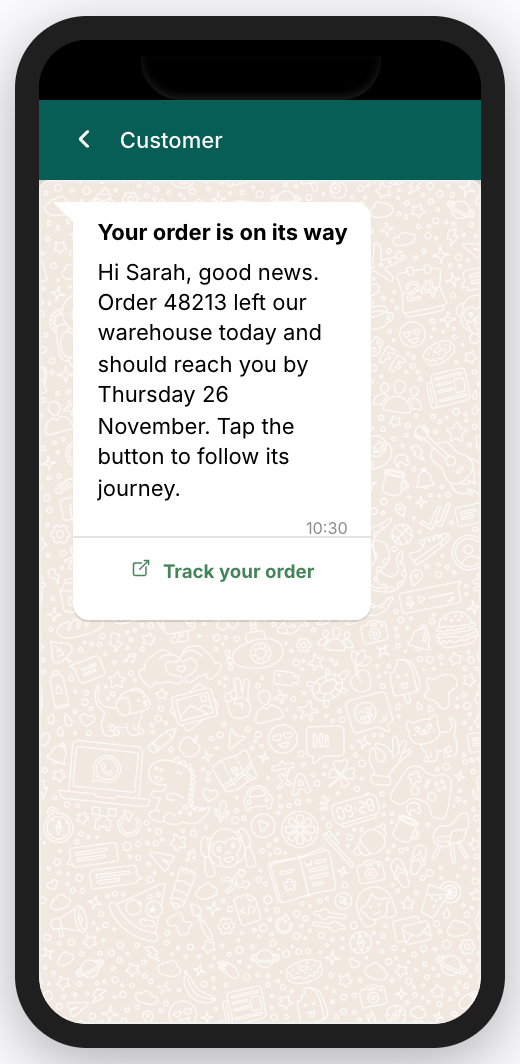
Tell a customer their order is on its way, with a link to track it.
| Field | What to enter |
|---|---|
| Template name | order_dispatched |
| Category | Utility |
| Header | Text: Your order is on its way |
| Body | Hi {{1}}, good news. Order {{2}} left our warehouse today and should reach you by {{3}}. Tap the button to follow its journey. |
| Sample values | {{1}} Sarah, {{2}} 48213, {{3}} Thursday 26 November |
| Buttons | URL: Track your order, linking to https://www.example.com/track/{{1}} (sample URL https://www.example.com/track/48213) |
Basket Reminder
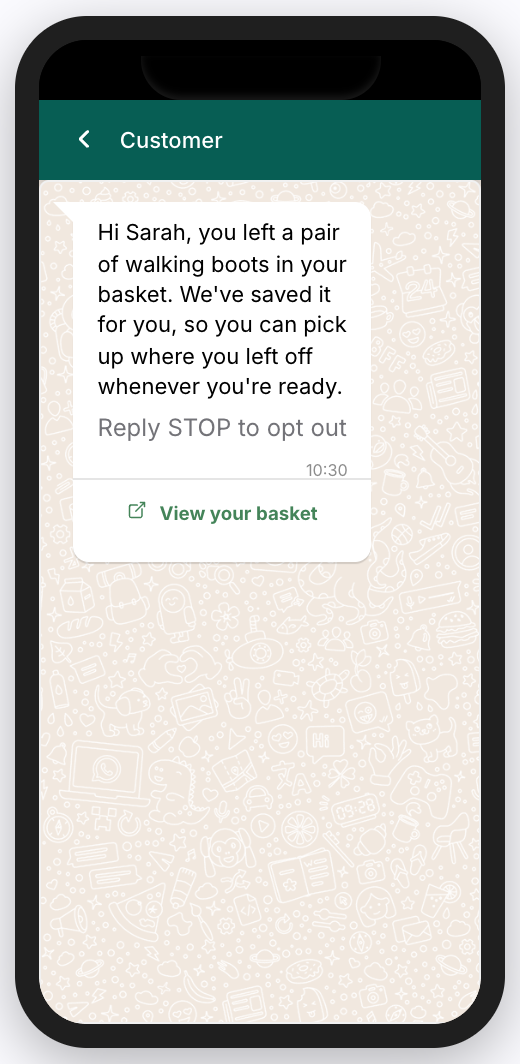
Remind a customer about something they left in their basket. Meta lists basket reminders as marketing.
| Field | What to enter |
|---|---|
| Template name | basket_reminder |
| Category | Marketing |
| Body | Hi {{1}}, you left {{2}} in your basket. We've saved it for you, so you can pick up where you left off whenever you're ready. |
| Sample values | {{1}} Sarah, {{2}} a pair of walking boots |
| Footer | Reply STOP to opt out |
| Buttons | URL: View your basket, linking to https://www.example.com/basket |
Winter Sale
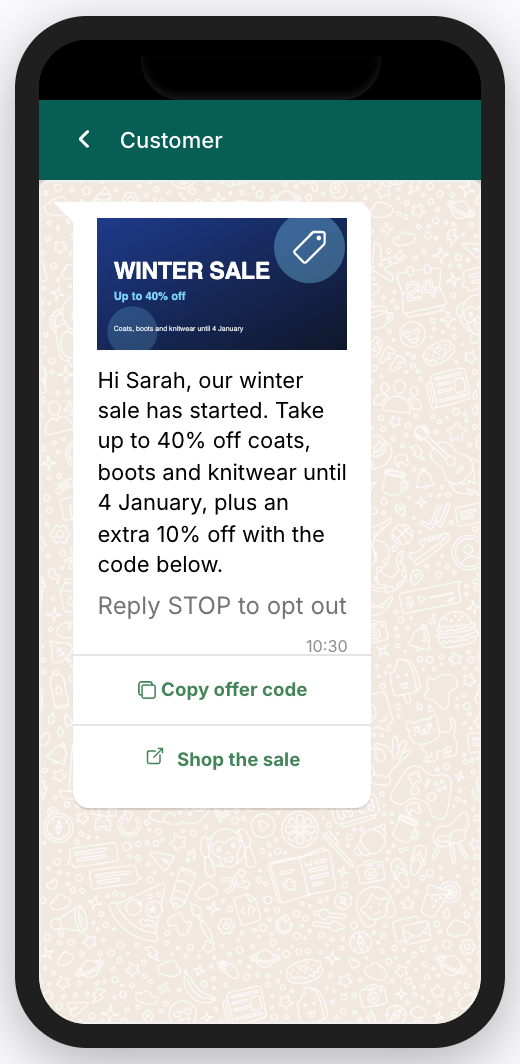
Announce a sale with a picture, an offer code the customer can copy, and a link to your shop.
| Field | What to enter |
|---|---|
| Template name | winter_sale |
| Category | Marketing |
| Header | Image: a picture of your own, such as a banner for the sale |
| Body | Hi {{1}}, our winter sale has started. Take up to 40% off coats, boots and knitwear until {{2}}, plus an extra 10% off with the code below. |
| Sample values | {{1}} Sarah, {{2}} 4 January |
| Footer | Reply STOP to opt out |
| Buttons | Copy code: sample code WINTER10URL: Shop the sale, linking to https://www.example.com/sale |
Travel and Hospitality
A booking confirmation is a utility message. An offer is marketing, even when it goes to customers who have booked with you before.
Booking Confirmed
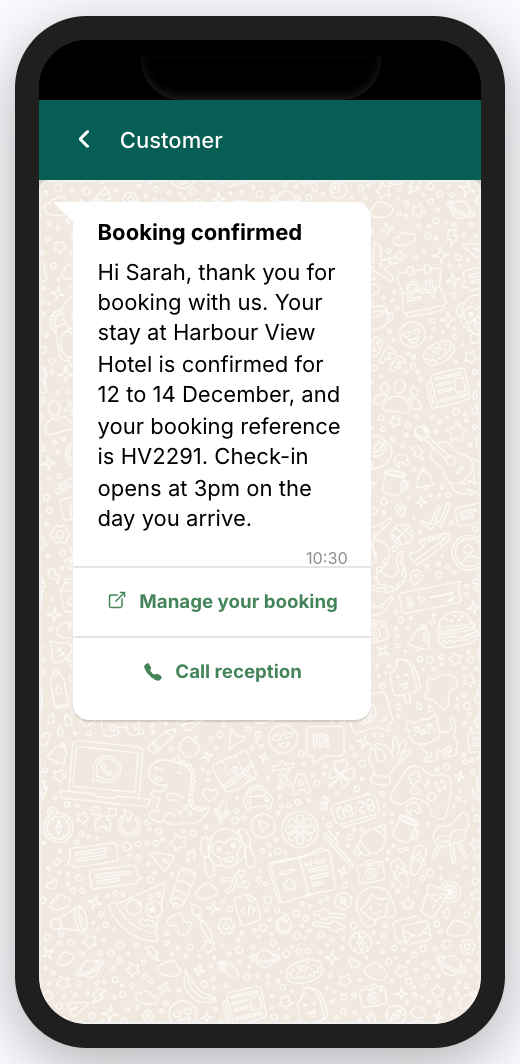
Confirm a booking and give its reference, with buttons to manage the booking or call reception.
| Field | What to enter |
|---|---|
| Template name | booking_confirmed |
| Category | Utility |
| Header | Text: Booking confirmed |
| Body | Hi {{1}}, thank you for booking with us. Your stay at {{2}} is confirmed for {{3}}, and your booking reference is {{4}}. Check-in opens at 3pm on the day you arrive. |
| Sample values | {{1}} Sarah, {{2}} Harbour View Hotel, {{3}} 12 to 14 December, {{4}} HV2291 |
| Buttons | URL: Manage your booking, linking to https://www.example.com/booking/{{1}} (sample URL https://www.example.com/booking/HV2291)Phone: Call reception, calling +442079460123 |
City Breaks
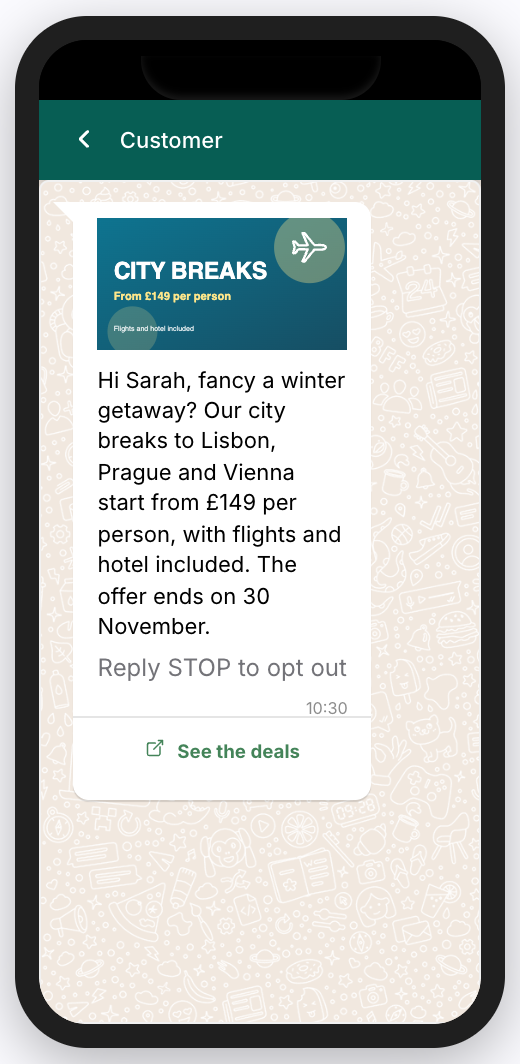
Promote a travel deal to customers who have opted in to hear about offers.
| Field | What to enter |
|---|---|
| Template name | city_breaks |
| Category | Marketing |
| Header | Image: a picture of your own, such as one of the destinations |
| Body | Hi {{1}}, fancy a winter getaway? Our city breaks to Lisbon, Prague and Vienna start from {{2}} per person, with flights and hotel included. The offer ends on {{3}}. |
| Sample values | {{1}} Sarah, {{2}} £149, {{3}} 30 November |
| Footer | Reply STOP to opt out |
| Buttons | URL: See the deals, linking to https://www.example.com/city-breaks |
Healthcare
Keep medical details out of every template. A message can say that results are ready, and the patient reads them somewhere secure. An invitation to book a clinic is marketing, because it promotes a service.
Results Ready
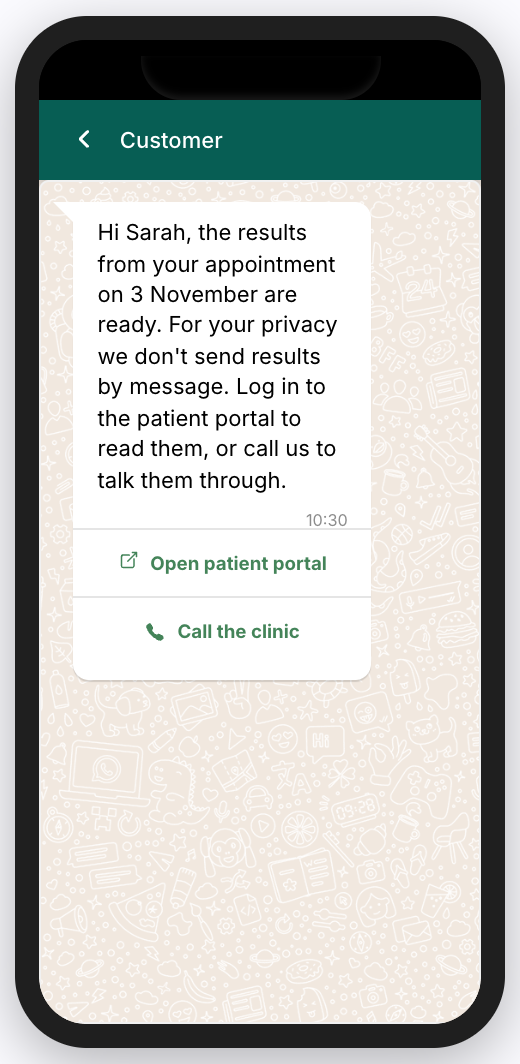
Tell a patient their results are ready, without saying what they are.
| Field | What to enter |
|---|---|
| Template name | results_ready |
| Category | Utility |
| Body | Hi {{1}}, the results from your appointment on {{2}} are ready. For your privacy we don't send results by message. Log in to the patient portal to read them, or call us to talk them through. |
| Sample values | {{1}} Sarah, {{2}} 3 November |
| Buttons | URL: Open patient portal, linking to https://portal.example.comPhone: Call the clinic, calling +442079460456 |
Flu Clinic
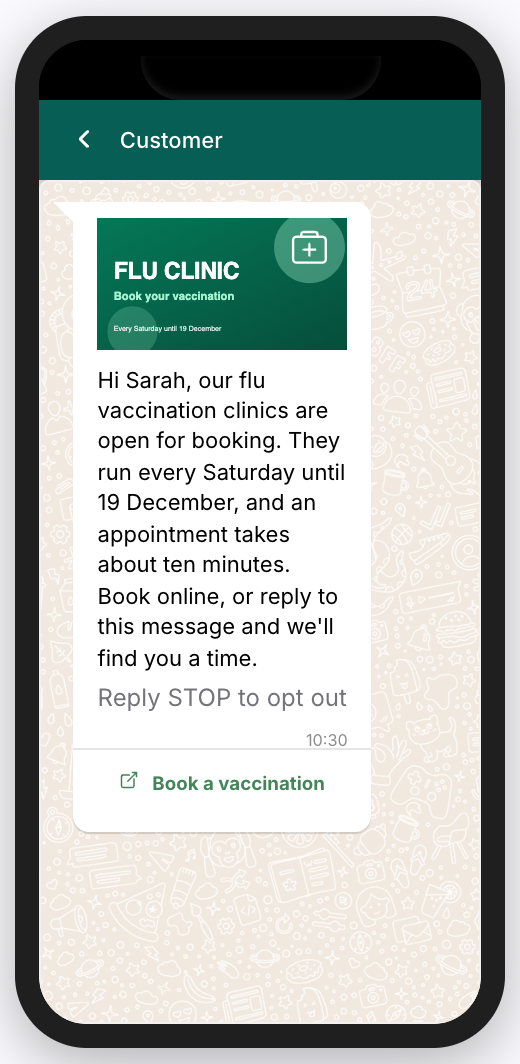
Invite patients to book a seasonal vaccination clinic.
| Field | What to enter |
|---|---|
| Template name | flu_clinic |
| Category | Marketing |
| Header | Image: a picture of your own, such as a banner for the clinic |
| Body | Hi {{1}}, our flu vaccination clinics are open for booking. They run every Saturday until {{2}}, and an appointment takes about ten minutes. Book online, or reply to this message and we'll find you a time. |
| Sample values | {{1}} Sarah, {{2}} 19 December |
| Footer | Reply STOP to opt out |
| Buttons | URL: Book a vaccination, linking to https://www.example.com/flu |
Education
A message about a course the student has signed up for is a utility message. An open day invitation is marketing.
Enrolment Confirmed
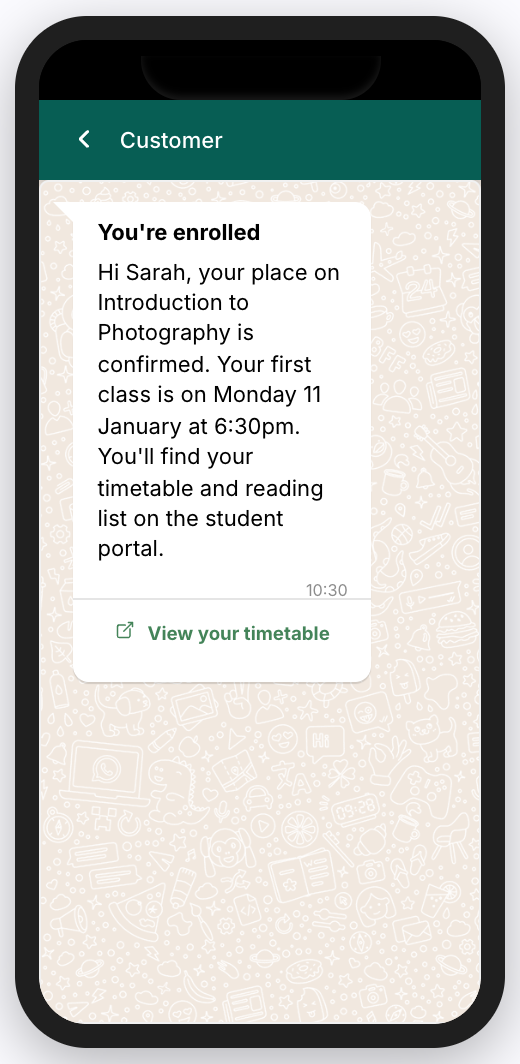
Confirm a student's place on a course, with the date and time of the first class.
| Field | What to enter |
|---|---|
| Template name | enrolment_confirmed |
| Category | Utility |
| Header | Text: You're enrolled |
| Body | Hi {{1}}, your place on {{2}} is confirmed. Your first class is on {{3}} at {{4}}. You'll find your timetable and reading list on the student portal. |
| Sample values | {{1}} Sarah, {{2}} Introduction to Photography, {{3}} Monday 11 January, {{4}} 6:30pm |
| Buttons | URL: View your timetable, linking to https://www.example.com/timetable |
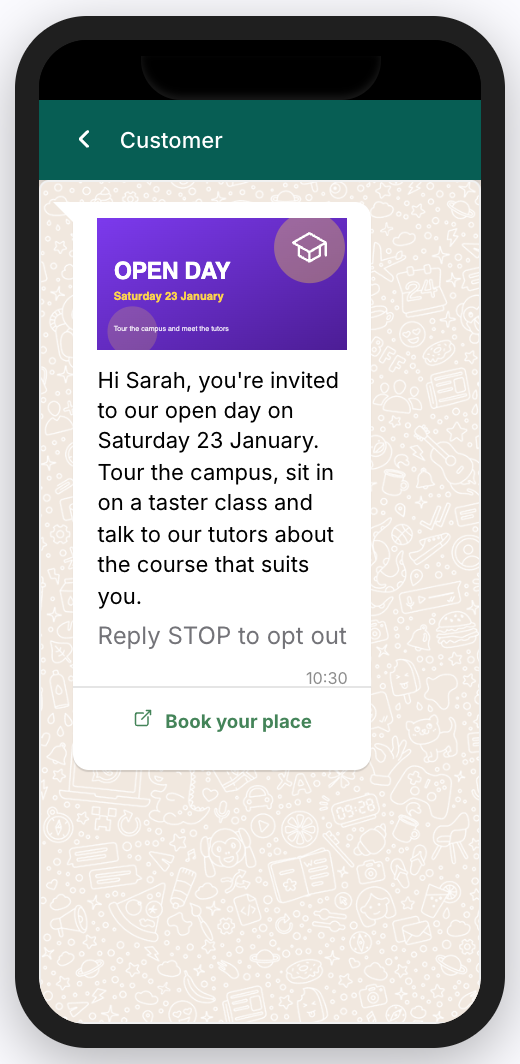
Open Day
Invite prospective students to an open day.
| Field | What to enter |
|---|---|
| Template name | open_day |
| Category | Marketing |
| Header | Image: a picture of your own, such as your campus |
| Body | Hi {{1}}, you're invited to our open day on {{2}}. Tour the campus, sit in on a taster class and talk to our tutors about the course that suits you. |
| Sample values | {{1}} Sarah, {{2}} Saturday 23 January |
| Footer | Reply STOP to opt out |
| Buttons | URL: Book your place, linking to https://www.example.com/open-day |
Real Estate
Confirming a viewing the customer booked is a utility message. A new listing is marketing, even when it matches a search the customer saved.
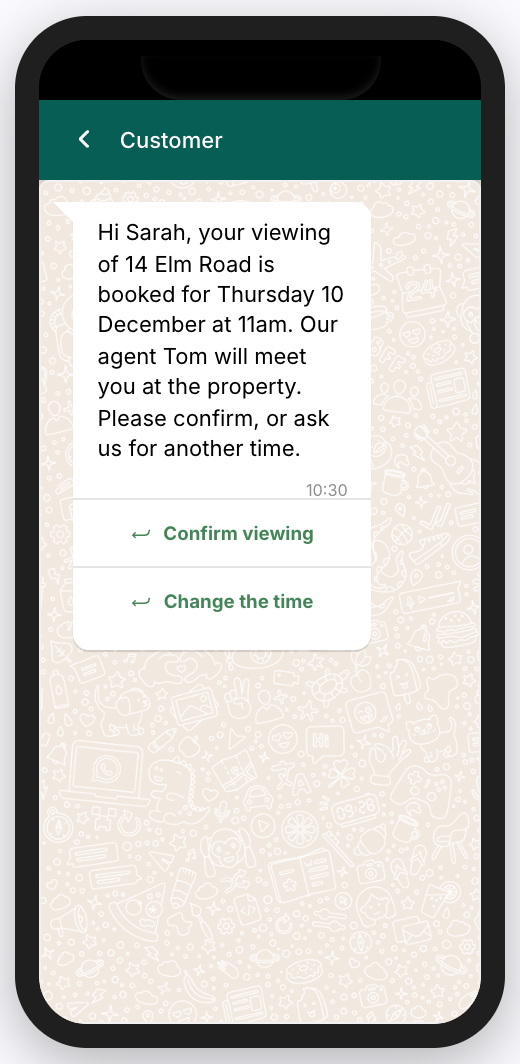
Viewing Confirmed
Confirm a property viewing. The quick reply buttons let the customer confirm, or ask for another time, with one tap.
| Field | What to enter |
|---|---|
| Template name | viewing_confirmed |
| Category | Utility |
| Body | Hi {{1}}, your viewing of {{2}} is booked for {{3}}. Our agent {{4}} will meet you at the property. Please confirm, or ask us for another time. |
| Sample values | {{1}} Sarah, {{2}} 14 Elm Road, {{3}} Thursday 10 December at 11am, {{4}} Tom |
| Buttons | Quick reply: Confirm viewing Quick reply: Change the time |
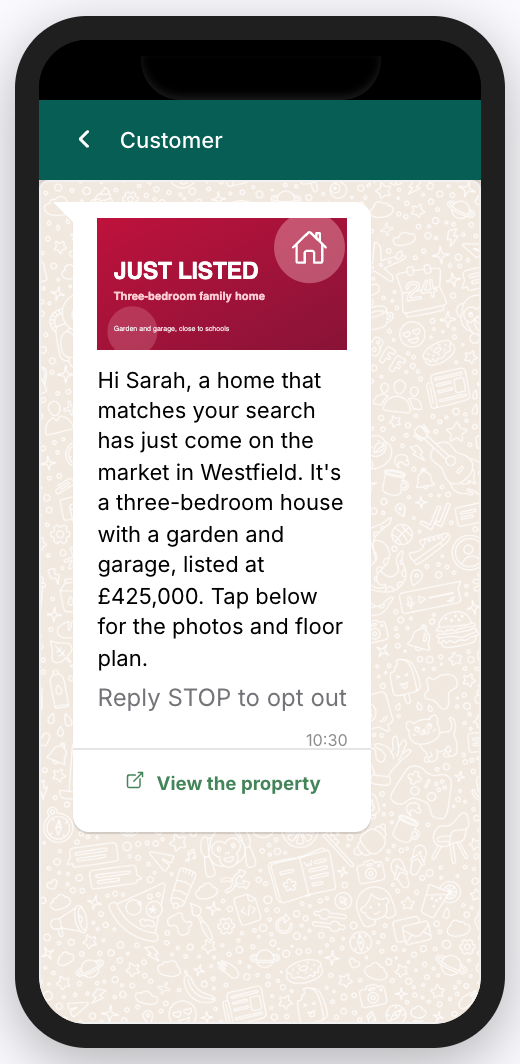
New Listing
Tell a buyer about a new property in the area they are searching. The button's link ends with each property's own reference.
| Field | What to enter |
|---|---|
| Template name | new_listing |
| Category | Marketing |
| Header | Image: a picture of your own, such as a photo of the property |
| Body | Hi {{1}}, a home that matches your search has just come on the market in {{2}}. It's a three-bedroom house with a garden and garage, listed at {{3}}. Tap below for the photos and floor plan. |
| Sample values | {{1}} Sarah, {{2}} Westfield, {{3}} £425,000 |
| Footer | Reply STOP to opt out |
| Buttons | URL: View the property, linking to https://www.example.com/property/{{1}} (sample URL https://www.example.com/property/WF1042) |
Financial Services
Messages about the customer's application or account are utility messages. Ask for documents through a secure upload page, never in the chat. Meta rejects templates that ask for sensitive data, such as a full card number.
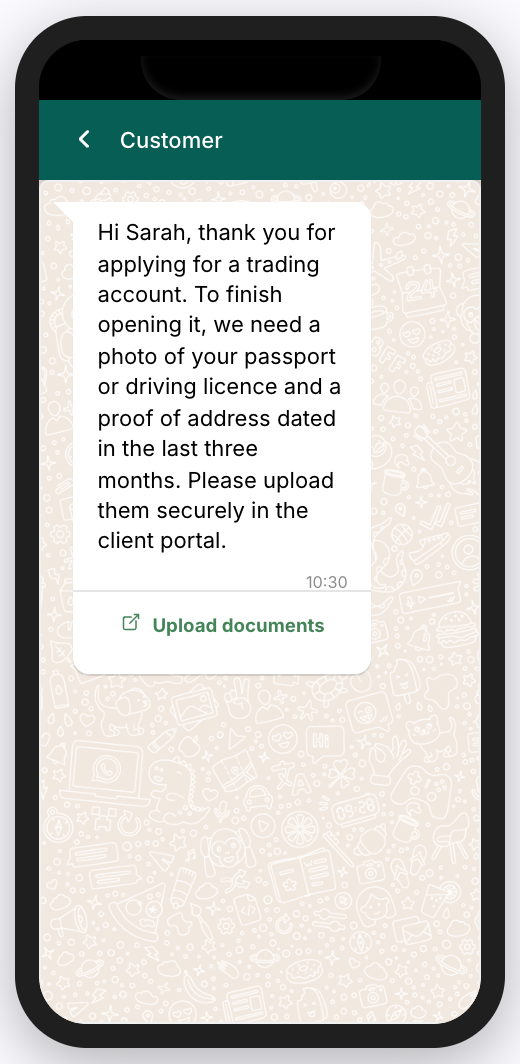
Documents Needed
Ask an applicant for the documents you need to open their account.
| Field | What to enter |
|---|---|
| Template name | documents_needed |
| Category | Utility |
| Body | Hi {{1}}, thank you for applying for a {{2}} account. To finish opening it, we need a photo of your passport or driving licence and a proof of address dated in the last three months. Please upload them securely in the client portal. |
| Sample values | {{1}} Sarah, {{2}} trading |
| Buttons | URL: Upload documents, linking to https://portal.example.com/documents |
Deposit Received
Confirm that a deposit has arrived. A header and a body are enough for a short notice like this.
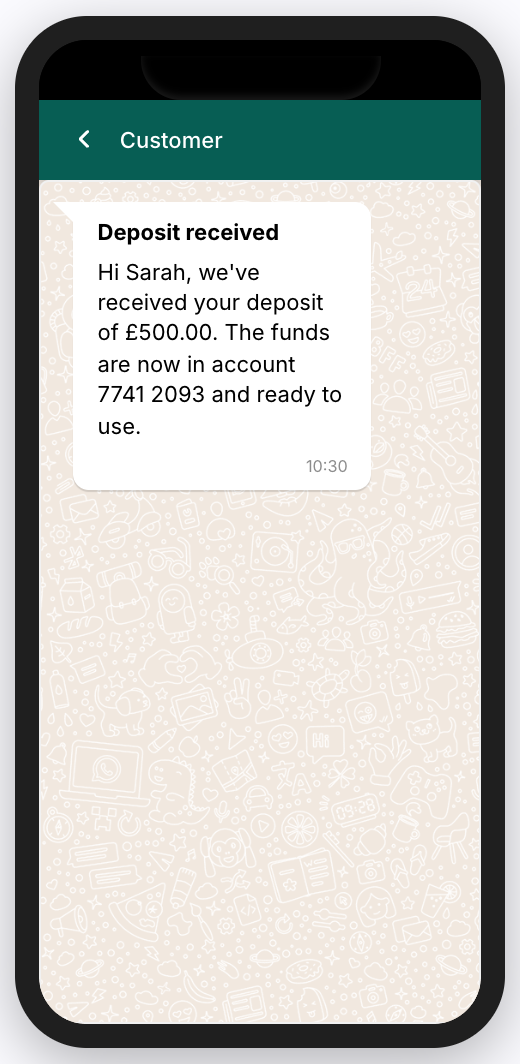
| Field | What to enter |
|---|---|
| Template name | deposit_received |
| Category | Utility |
| Header | Text: Deposit received |
| Body | Hi {{1}}, we've received your deposit of {{2}}. The funds are now in account {{3}} and ready to use. |
| Sample values | {{1}} Sarah, {{2}} £500.00, {{3}} 7741 2093 |
Refer a Friend
Offer a reward for introducing a friend. The button adds each customer's own invite code to the link.
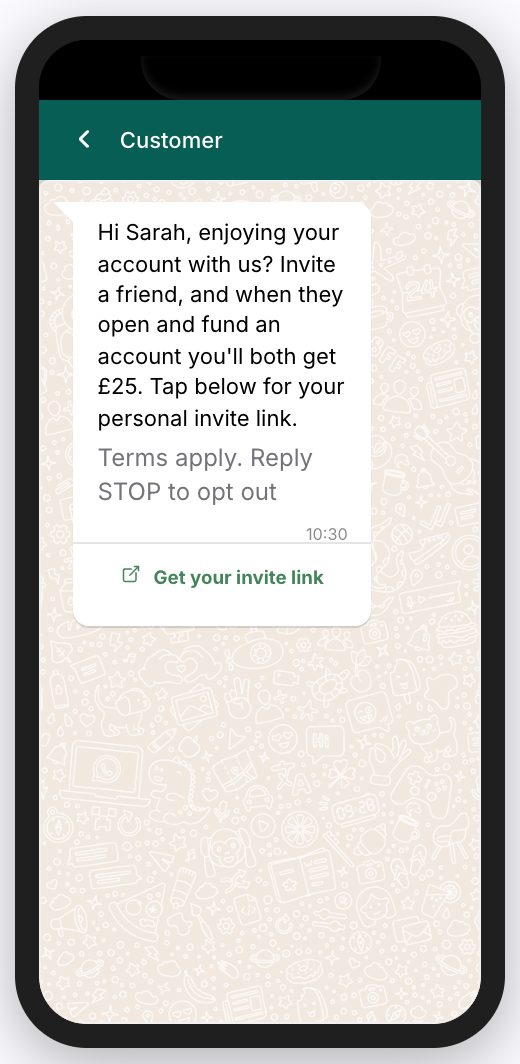
| Field | What to enter |
|---|---|
| Template name | refer_a_friend |
| Category | Marketing |
| Body | Hi {{1}}, enjoying your account with us? Invite a friend, and when they open and fund an account you'll both get {{2}}. Tap below for your personal invite link. |
| Sample values | {{1}} Sarah, {{2}} £25 |
| Footer | Terms apply. Reply STOP to opt out |
| Buttons | URL: Get your invite link, linking to https://www.example.com/refer/{{1}} (sample URL https://www.example.com/refer/SARAH25) |
General
Messages that most businesses send. A reminder, an answer to a question and a request for feedback on a specific conversation are utility messages. A message that only checks in with a customer is marketing.
Appointment Reminder
Remind a customer of an appointment, and let them confirm or reschedule with one tap.
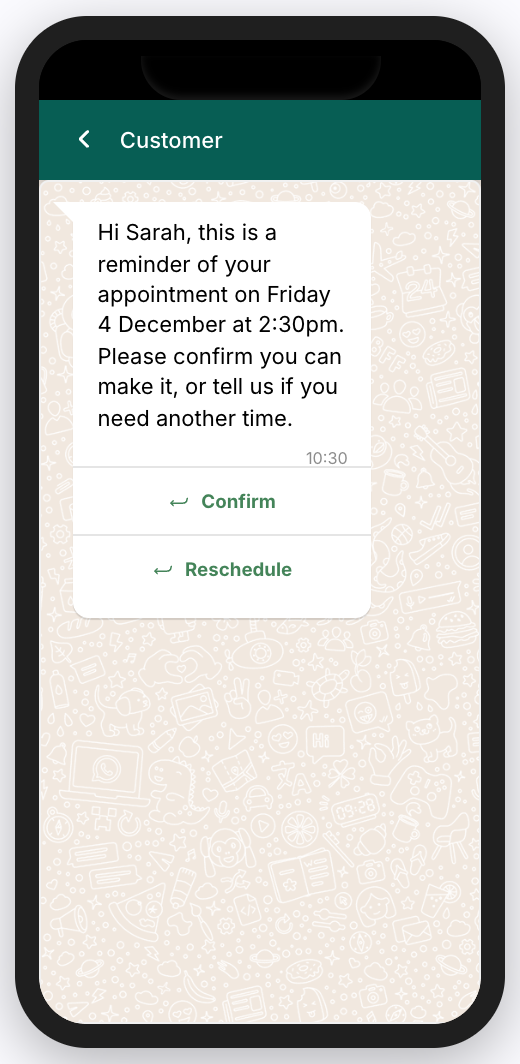
| Field | What to enter |
|---|---|
| Template name | appointment_reminder |
| Category | Utility |
| Body | Hi {{1}}, this is a reminder of your appointment on {{2}} at {{3}}. Please confirm you can make it, or tell us if you need another time. |
| Sample values | {{1}} Sarah, {{2}} Friday 4 December, {{3}} 2:30pm |
| Buttons | Quick reply: Confirm Quick reply: Reschedule |
Conversation Follow-Up
Answer a customer's question after the customer service window has closed. Agents send it from the template picker in the chat, described in WhatsApp Templates.
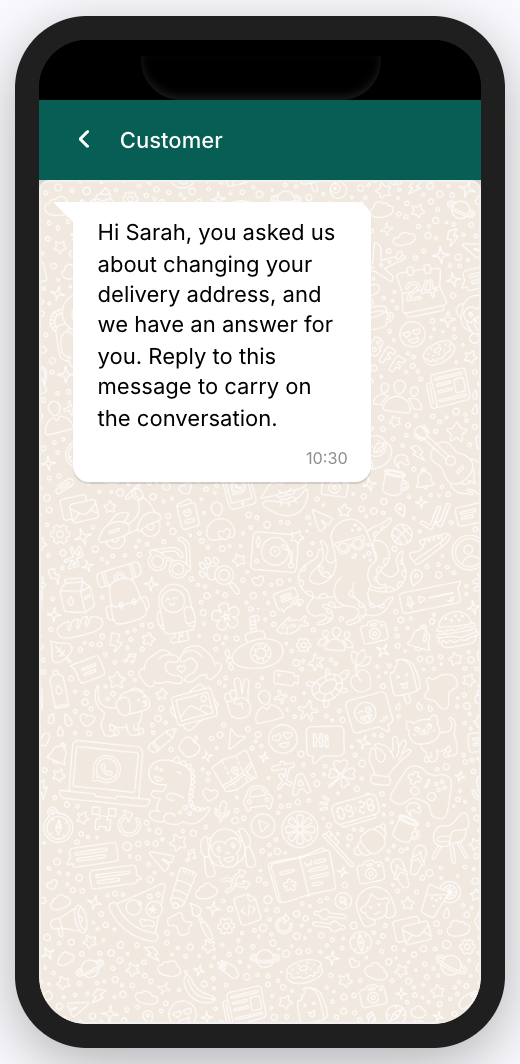
| Field | What to enter |
|---|---|
| Template name | conversation_follow_up |
| Category | Utility |
| Body | Hi {{1}}, you asked us about {{2}}, and we have an answer for you. Reply to this message to carry on the conversation. |
| Sample values | {{1}} Sarah, {{2}} changing your delivery address |
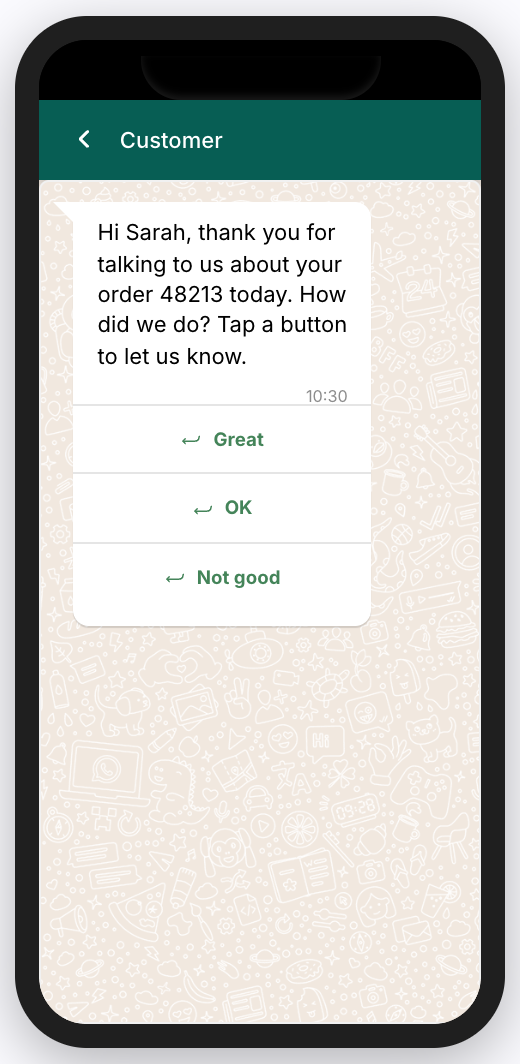
Feedback Request
Ask how a conversation or an order went. Name the order or the conversation in the message.
| Field | What to enter |
|---|---|
| Template name | feedback_request |
| Category | Utility |
| Body | Hi {{1}}, thank you for talking to us about {{2}} today. How did we do? Tap a button to let us know. |
| Sample values | {{1}} Sarah, {{2}} your order 48213 |
| Buttons | Quick reply: Great Quick reply: OK Quick reply: Not good |
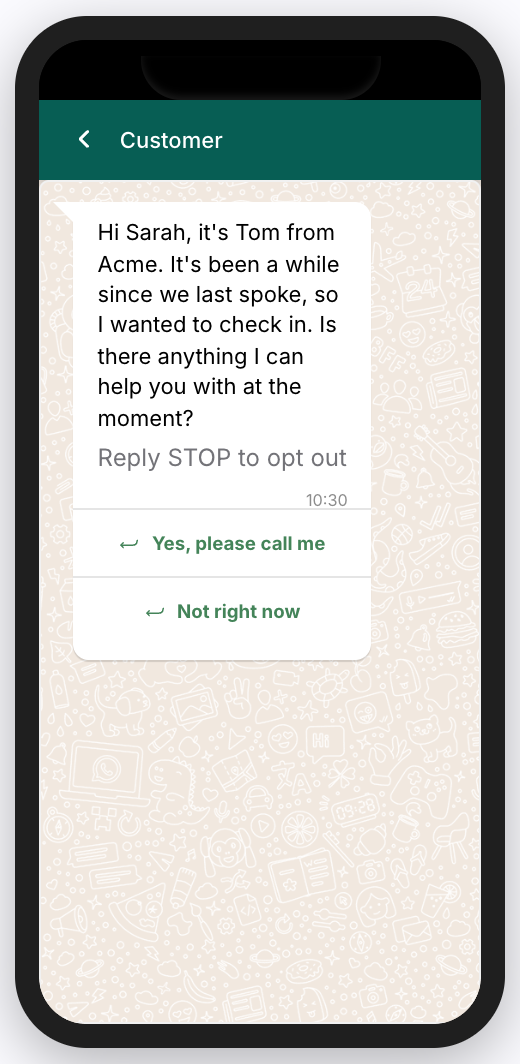
Check-In
Get back in touch with a customer you haven't heard from for a while.
| Field | What to enter |
|---|---|
| Template name | check_in |
| Category | Marketing |
| Body | Hi {{1}}, it's {{2}} from {{3}}. It's been a while since we last spoke, so I wanted to check in. Is there anything I can help you with at the moment? |
| Sample values | {{1}} Sarah, {{2}} Tom, {{3}} Acme |
| Footer | Reply STOP to opt out |
| Buttons | Quick reply: Yes, please call me Quick reply: Not right now |